How to take great real estate photos, even with a phone
To take great real estate photos, prep the home (decluttered, blinds open, lights on), shoot in daylight, at chest height and from a corner of the room to show two walls, in landscape mode, with no zoom and the phone held level. A recent phone is enough. Plan one sharp, wide photo per room, and two or three for the main rooms: they’re also what your listing video will be made from.
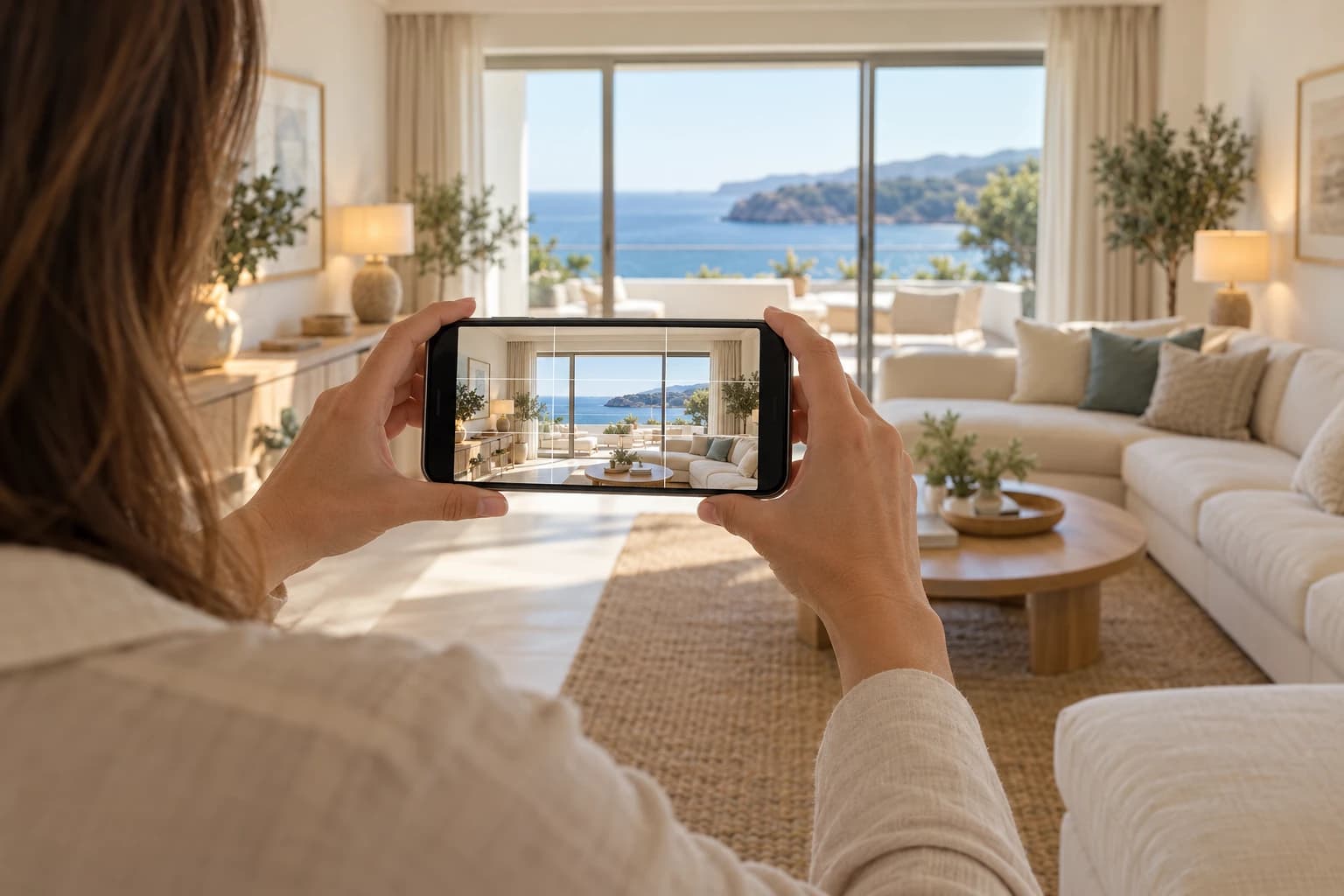
How to prep the home before the photos
A listing photo shows a space, not the life of the people living in it. Ten minutes of prep make more difference than a better phone.
- Declutter: clear countertops and tables, no clothes or toys.
- Put away personal items: family photos, mail, papers on the fridge.
- Let the light in: blinds and curtains open, every lamp on, bulbs of the same color if possible.
- Mind the details: beds made, pillows in place, toilet lids down, trash cans and cables out of frame.
- Outside: cars moved, trash cans put away, lawn mowed if possible.
What gear you need for real estate photos
A recent phone is enough for listing photos. Today’s sensors handle interiors well, as long as you follow a few rules.
- Clean the lens. One fingerprint is enough to haze every photo.
- A small tripod helps in dark rooms and keeps the same height from one photo to the next. It’s not essential.
- The ultra-wide lens (0.5×) shows more space but distorts the edges of the image. Save it for small rooms, and keep the phone perfectly level.
A camera with a wide-angle lens gives better results, especially in low light. It only really pays off for homes where every photo counts.
The right phone settings
- Landscape (horizontal) mode. It’s the format of listing portals, and the one your video needs.
- Grid on, to keep vertical lines straight and the horizon level.
- HDR on, to capture both the interior and what’s outside the windows.
- Full resolution, no filters and no portrait mode.
- No digital zoom: step back instead. Zoom degrades the image.
- No flash: it flattens the space and creates reflections.
How to frame a room
- Stand in a corner, back to the wall, to show two walls and give the room depth.
- Hold the phone at chest height, about 4 to 5 feet. Higher, the furniture looks squashed; lower, you mostly see the ceiling.
- Keep the phone level, tilted neither down nor up. Walls should stay vertical in the photo.
- Show what makes the room: the living room’s picture window, the kitchen counter, the view from the bedroom.
- Add something in the foreground (an armchair, a table) for depth, without blocking the room.
Light: when and how to shoot
- Shoot in daylight, when natural light reaches the main rooms the most.
- An overcast sky works well for interiors: the light is soft, with no sun patches on the floor.
- For the exterior, wait until the sun is on the facade rather than behind it.
- Don’t face a window: the room turns dark. Stand to the side, with the window in frame but not straight ahead.
- Turn every light on, even in daytime: the room looks warmer and more even.
The shot list, room by room
Plan at least one wide photo per room, and two or three angles for the rooms that sell the home.
- The exterior or building, and the view if it’s a selling point.
- The entryway, if it’s spacious or well finished.
- The living room: two or three angles, including one toward the windows.
- The dining room, on its own or with the living room.
- The kitchen: a full view, and the counter.
- The bedrooms, starting with the primary.
- The bathroom, from the door or a corner.
- Private outdoor space: balcony, deck, backyard, pool.
- Features specific to the home: fireplace, walk-in closet, hardwood floors, high ceilings.
Skip hallways, closets and close-ups of details: they tell buyers nothing about the home.
Photos that also work for video
Your listing photos can become a video of the home, with no new shoot. A few habits make them ready for it.
- Always landscape: the video is built from horizontal images, then adapted to vertical.
- Wide, sharp shots: a whole room lends itself to a camera move, a detail doesn’t.
- Leave room at the sides: the vertical version (9:16) only keeps the center of the image. The room’s main feature must stay in it.
- One steady photo per room, with no motion blur: the video’s movement amplifies the slightest blur.
With good photos, a listing video takes minutes. The full method is in our guide How to create a real estate video from your photos, and the result on the page The real estate video.
Editing without misleading
What you can fix
- Brightness and contrast, for a photo true to the room.
- Tilted vertical lines.
- The crop, to remove a useless edge.
What you shouldn’t do
- Erase a flaw in the home: a crack, a pillar, a neighboring wall.
- Replace the sky or the view with another one.
- Add furniture without labeling it as a simulation.
A listing photo should show the home as it is. A buyer who finds a gap between the photos and the showing loses trust, and a misleading listing can lead to a dispute.
Should you hire a photographer?
For most homes, careful phone photos taken with the rules in this guide are enough. A professional photographer is worth it in three cases:
- A luxury home, where every photo has to be flawless.
- A difficult home: dark rooms, small spaces, views to show off.
- A high volume of listings, when your time costs more than the service.
Are you a real estate photographer? See how to offer video to your clients from your own photos on our page for real estate photographers.
Frequently asked questions
Your photos, as a video
Roomotion turns your listing photos into a real estate video with real camera moves, in 16:9 and 9:16, in minutes. No subscription, one credit per video.
Try it with my photos